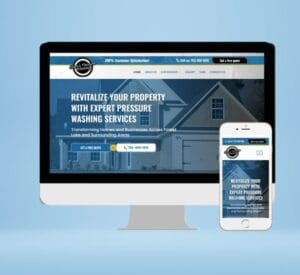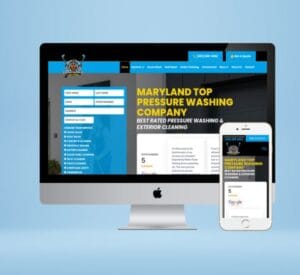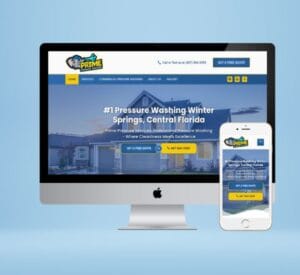

Website design is planning how a site looks and how visitors move through it. Website development is building it so it works: the pages, forms, speed and security. For a small business, the whole process runs through eight steps, from setting goals to launching and improving the site. A small service-business site can be designed and built in about a week; larger custom sites take several weeks.
Key takeaways
- Design decides what visitors see and do. Development makes it work, fast and securely.
- Plan pages around the services and towns you want to be found for before anyone designs anything.
- Content is usually what delays a website, so prepare it early.
- WordPress suits most small businesses: you own it, you can edit it, and it handles SEO well.
- A website is never finished. Track calls and form fills after launch and keep improving.
Website design vs website development
They are two halves of the same job, and on small projects one team usually does both.
Website design
Website development
Focus
Look, layout, user experience
Code, functionality, performance
Output
Wireframes and page designs
A working website
Covers
Colours, fonts, images, calls to action
Forms, speed, security, hosting, SEO setup
Question it answers
Will visitors understand and trust this?
Does it work on every device, fast?
The website design and development process in 8 steps
Step
What happens
Typical time*
1. Discovery
Goals, customers, services, competitors
1 day
2. Sitemap and keywords
Which pages to build and what each should rank for
1 day
3. Content
Text, photos, reviews, logo
1–3 days
4. Design
Wireframes, then full page designs
1–2 days
5. Development
Build pages, forms, mobile layout
1–3 days
6. SEO and speed setup
Titles, schema, sitemap, image compression
Same time as build
7. Testing and launch
Devices, forms, links, go live
1 day
8. After launch
Analytics, updates, ongoing SEO
Ongoing
*For a small service-business website of 3 to 12 pages. Custom builds, online stores and large sites take several weeks.
1. Discovery: decide what the website is for
Start with the outcome. For most service businesses that means phone calls and quote requests. Write down who your customers are, which services make you the most money, and which towns you serve. Look at the top three competitors in your area and note what they do well.
2. Sitemap and keyword plan
Plan one page per main service, for example "house washing" and "roof cleaning" rather than one "services" page that lists everything. Each page should target what customers actually type into Google, such as "roof cleaning in Charlotte". This step decides most of your future SEO, so do it before design.
3. Content: text, photos and proof
Content is the most common cause of delays. Gather real job photos, your logo, reviews, licences and insurance details, and a short description of each service. Real photos of your work build far more trust than stock images.
4. Design: wireframes, then visuals
A wireframe is a simple layout showing where the headline, call button, services and reviews go. Once the layout works, the designer adds your colours, fonts and images. Design for phones first, since most local customers will visit on a phone.
5. Development: building it properly
The developer builds the pages in a content management system such as WordPress, sets up quote forms and click-to-call buttons, connects email notifications and makes sure every page works on mobile, tablet and desktop.
6. SEO and speed setup
Each page gets a unique title and meta description, one clear H1 heading, structured data (schema) and compressed images. The site gets an XML sitemap and is connected to Google Search Console. This is on-page SEO, and it should be part of the build, not an extra.
7. Testing and launch
Test every form, every link and every page on a real phone. Check page speed with Google PageSpeed Insights. Then point the domain, install an SSL certificate and submit the sitemap to Google. Our hosting and domain guide explains that part.
8. After launch: track and improve
Watch which pages bring calls and form fills, and which searches find you in Search Console. Add pages for new services and towns, keep plugins updated and add fresh photos and reviews. This is where ongoing SEO comes in.
Which platform should a small business use?
Platform
Good for
Watch out for
WordPress
Most small businesses that want to rank and grow
Needs updates and decent hosting
Wix / Squarespace
Very simple sites built yourself
Less control over speed and SEO; you rent the platform
Custom code
Complex web apps
Costly; hard to edit without a developer
Shopify / WooCommerce
Online stores
Overkill for a service business
For a service business that wants to rank locally and add pages over time, WordPress is usually the best fit: you own the site, you can edit it yourself, and it gives full control over SEO.
How much does website design and development cost?
Prices vary widely depending on who builds it and how much is custom. DIY builders cost a monthly subscription plus your time. Freelancers and agencies charge anything from a few hundred to several thousand dollars for a small business site, and custom builds cost more.
At Polishsys, service-business websites are $149.99 for 3 pages, $219.99 for 5 pages and $449.99 for 12 pages, all one time. For a trade-specific breakdown, see how much a pressure washing website costs.
Common mistakes to avoid
- No clear call to action. Every page should show your phone number and a quote button without scrolling.
- One page for all services. Separate service pages rank better and convert better.
- Slow loading. Large images and too many plugins are the usual cause.
- Stock photos only. Real job photos build trust.
- No tracking. Without analytics and Search Console you cannot tell what is working.
- Skipping the towns you serve. If you want customers in a nearby city, give it a page.
Pre-launch checklist
- Phone number and quote button visible on every page, tap-to-call on mobile
- Every form tested and delivering to the right inbox
- Unique title and meta description on every page
- One H1 per page
- Images compressed; mobile PageSpeed checked
- SSL active (https) and old URLs redirected
- Google Analytics and Search Console connected, sitemap submitted
- Google Business Profile linked to the website
Running a cleaning business? Our cleaning company website checklist goes into more detail for that trade.
Website design and development questions
How long does website design and development take?
A small service-business website of 3 to 12 pages usually takes about a week once the content is ready. Custom sites and online stores take several weeks.
What is the difference between web design and web development?
Design is how the site looks and how visitors move through it. Development is building it so it works: code, forms, speed, security and SEO setup.
Do I need a developer to update my website?
Not if it is built on WordPress with a visual editor. You can change text, photos and prices yourself.
Is WordPress good for SEO?
Yes. WordPress gives you full control over titles, headings, URLs, schema and speed, which is why most SEO-focused small business sites use it.
Want us to handle the whole process?
We design and build fast WordPress websites for small and home-service businesses, usually live in 3 to 8 days.