
Your Google Business Profile decides whether you show up in the Map Pack, and often whether a customer calls you or a competitor. Use this checklist to set it up properly and keep it working: verify it, choose the right categories, list every service and service area, add real photos, collect reviews steadily and post updates every week.
Key takeaways
- The primary category is the single most important setting. Pick the most specific one.
- List every service and every town you serve.
- Use your real business name with no added keywords.
- Upload real job photos and post an update every week.
- Ask every happy customer for a review and reply to all of them.
1. Setup and verification
- Claim or create your profile at Google Business Profile and complete verification.
- Use your real business name, exactly as it appears on your signage, invoices and website.
- If customers do not visit you, set it up as a service-area business and hide your address.
- Never use a virtual office or P.O. box as your address. It breaks Google's guidelines.
- Add your main phone number and your website URL.
2. Categories
- Choose the most specific primary category for your main service, for example "Pressure washing service", "House cleaning service", "Lawn care service", "Roofing contractor".
- Add secondary categories only for services you genuinely offer, such as "Gutter cleaning service" or "Window cleaning service".
- Check competitors who rank above you to see which categories they use.
3. Services and service areas
- Add every service you offer in the Services section, with a short description and starting price if you are comfortable sharing it.
- Add every town, city or ZIP code you serve as a service area (up to 20).
- Make sure each main service also has its own page on your website, and link the profile to the most relevant page.
4. Business details
- Write a description that says what you do, where and for whom, in plain language. No links or promotions.
- Set accurate opening hours and add special hours for holidays.
- Add attributes that apply, such as "Online estimates" or "Veteran-owned".
- Add booking or quote links if you use a booking tool.
5. Photos and videos
- Upload your logo and a cover photo.
- Add real before-and-after photos from jobs, ideally a few every week.
- Add photos of your team, trucks and equipment.
- Add short videos of work in progress.
- Avoid stock photos. Real images build trust and keep the profile active.
6. Reviews
- Ask every satisfied customer for a review, ideally on the day the job is done.
- Send your direct review link by text message.
- Reply to every review, positive or negative, politely and within a few days.
- Never buy reviews, offer rewards for them or post reviews for yourself. Google can remove them or suspend the profile.
Recent reviews that mention the service and town help both rankings and conversions. See our guide on how to rank on Google Maps for why.
7. Weekly activity
- Post an update every week: a recent job, a seasonal offer, a tip.
- Answer questions in the Q&A section and add common questions yourself.
- Check the Performance tab monthly for calls, direction requests and searches.
- Keep hours, phone number and services up to date.
8. Make your website match
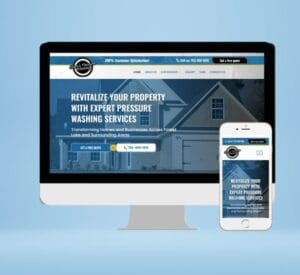
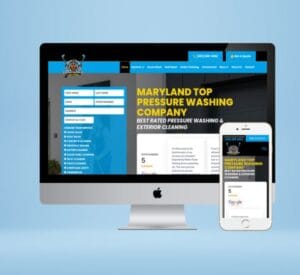
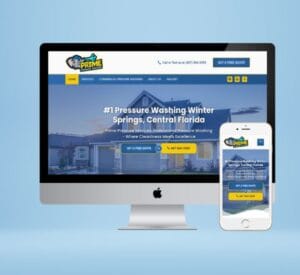
Google compares your profile with your website. Your name, address and phone number should match exactly, your website should have pages for the services and towns in your profile, and LocalBusiness schema should confirm your details. A profile with no strong website behind it usually struggles to rank. That is why we build every service business website to support the profile.
Mistakes that get profiles suspended or buried
- Adding keywords or city names to the business name.
- Using a virtual office, co-working desk or P.O. box address.
- Creating several profiles for the same business.
- Buying or incentivising reviews.
- Listing a broad primary category instead of the one that fits best.
Google Business Profile questions
What is the most important Google Business Profile setting?
The primary category. It tells Google what your business is and has a big effect on which searches you appear for.
How often should I post on Google Business Profile?
Once a week is a good rhythm for most service businesses. Use real job photos and short updates.
Can a service-area business rank without showing an address?
Yes. Service-area businesses can hide their address and list the areas they serve instead.
How many service areas can I add?
Google lets you add up to 20 service areas. Choose the towns where you most want work.
Want us to set up and manage your profile?
We optimise Google Business Profiles for home-service businesses and manage them every month as part of our SEO plans.